
Who? If you are part of the teaching team, you can connect your Legios account with your Zoom account.
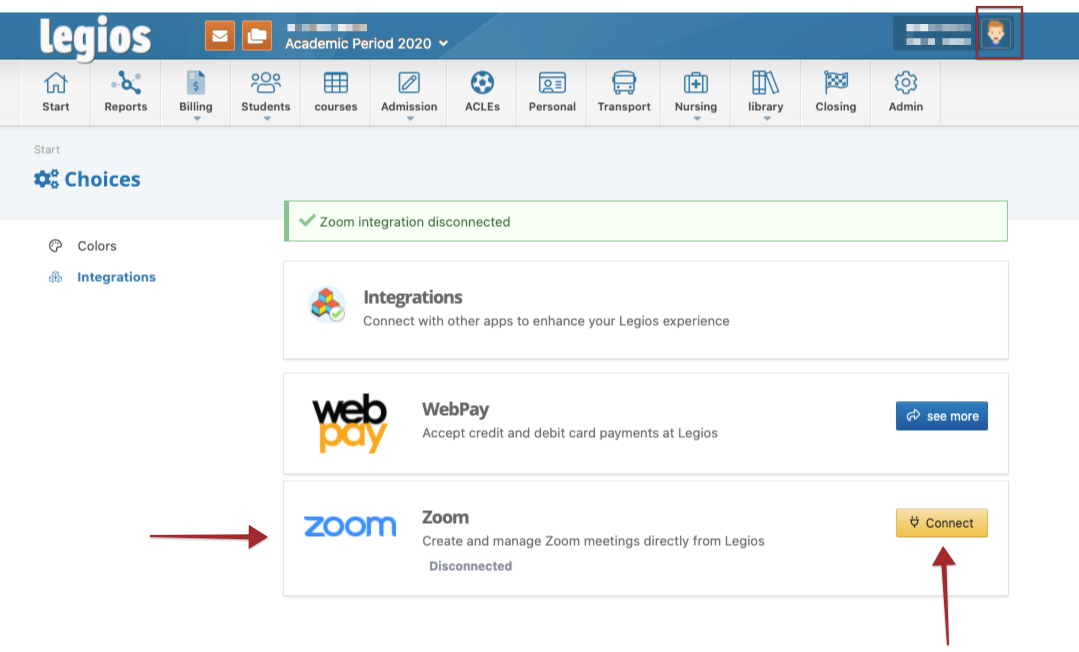
To begin, please click on your profile picture and go to Options. Then, go to integrations and follow the steps:
1. Go to Zoom and click Connect. You will be redirected to Zoom's login page.
2. Login to your Zoom account
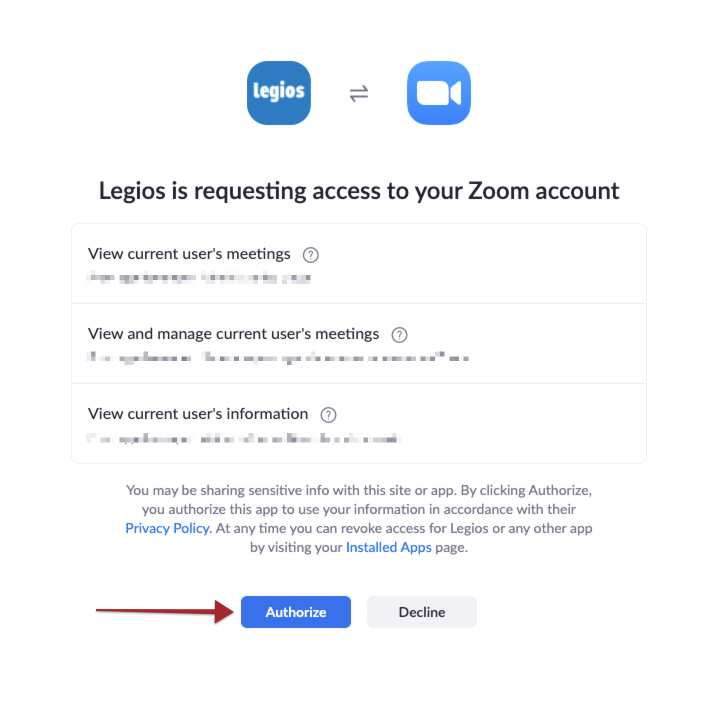
3. Click on Authorize. You will be redirected to Legios and be ready to start creating meetings.
Step 1
Step 2
Comentarios
0 comentarios
El artículo está cerrado para comentarios.